Backline
Your part. Your band.

Vocal remover and stem splitter for your phone

Split any song into vocals, guitars, bass and drums on your iPhone. Take your part out, slow it down, loop it and play along with the band.

Download on the App Store Get it on Google Play

Coming soon to the App Store and Google Play.

FreeOpen sourceNothing leaves your phone

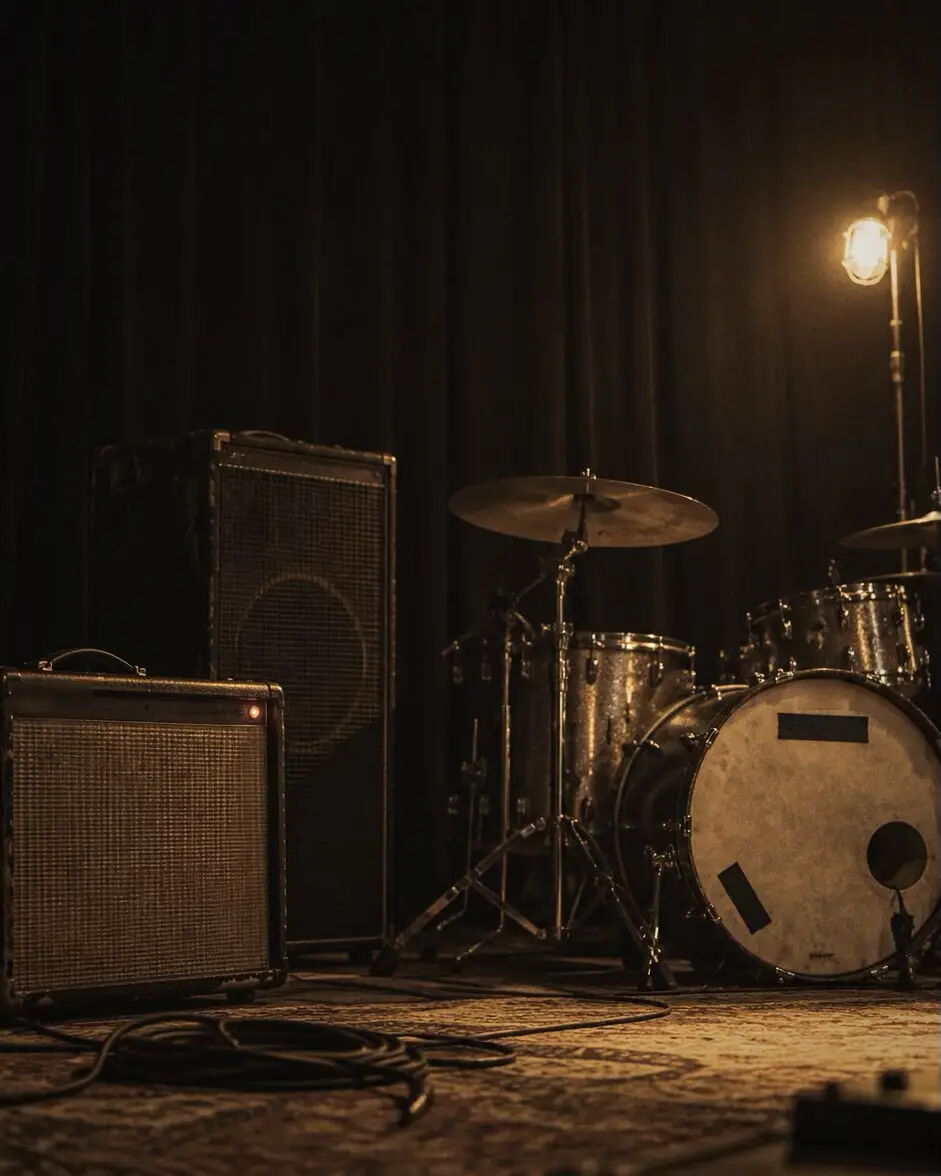
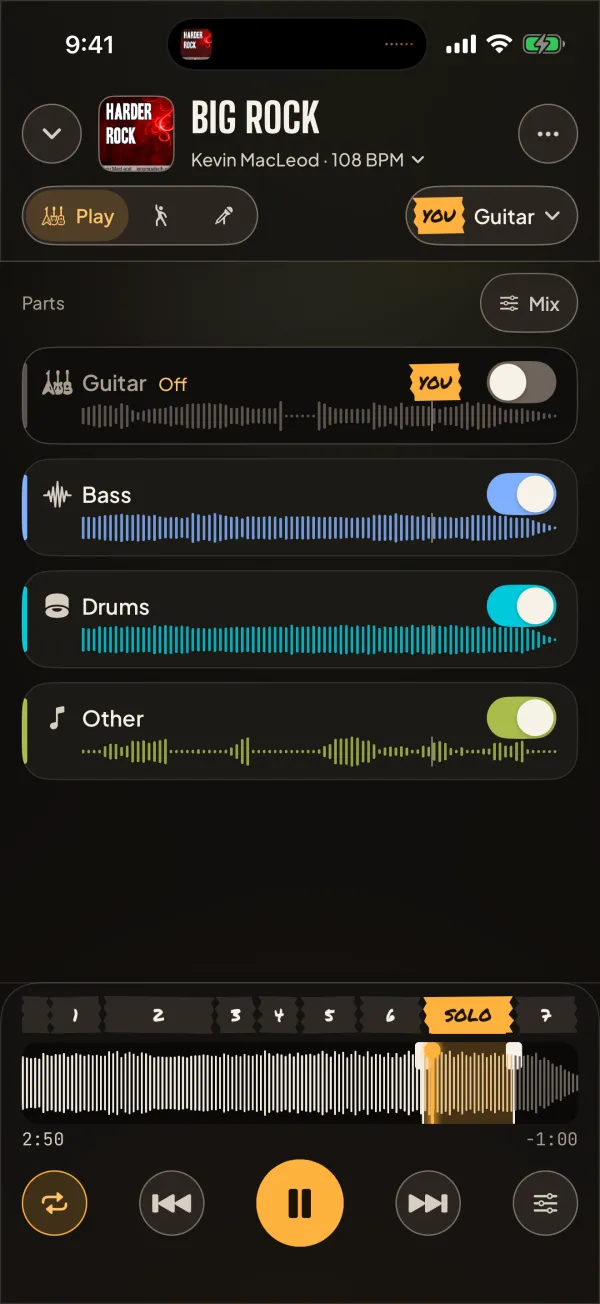
A drum kit and amplifiers on a dark stage, one warm light on the cymbals Backline in Play mode with the guitar taken out: the Guitar row is off and marked YOU, with bass, drums and other parts playing, and the song's sections along the bottom

Three ways to practice

Pick how you practice when you start. Each mode shows only what that practice needs, and each song remembers its mode.

Play

For players: take your part out

Tell Backline what you play and it turns that part off, so the band plays without you. Guitarists get the lead and rhythm guitar as separate parts: drop the solo and keep the rhythm.

  • Vocals, lead guitar, rhythm guitar, bass, drums and keys, each with its own switch
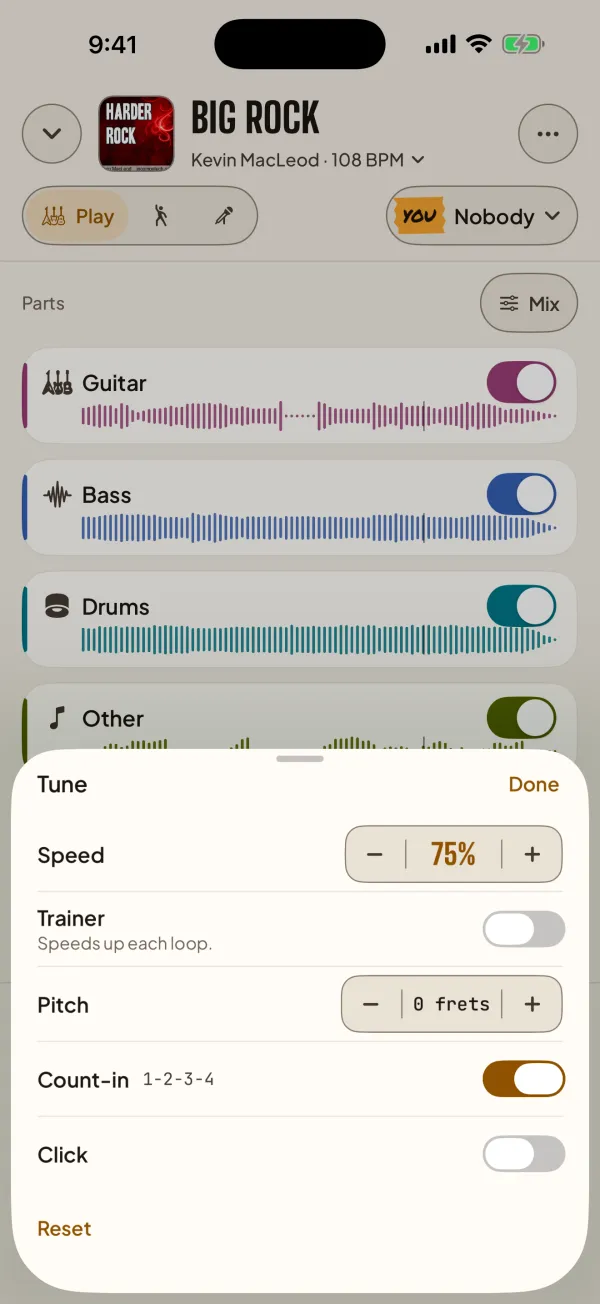
  • Slow down to 50% or speed up to 150% without changing the key
  • Loop a section, count in, and shift the pitch by frets
Tune: the speed at 75 percent, the pitch unchanged and the count-in on
Dance

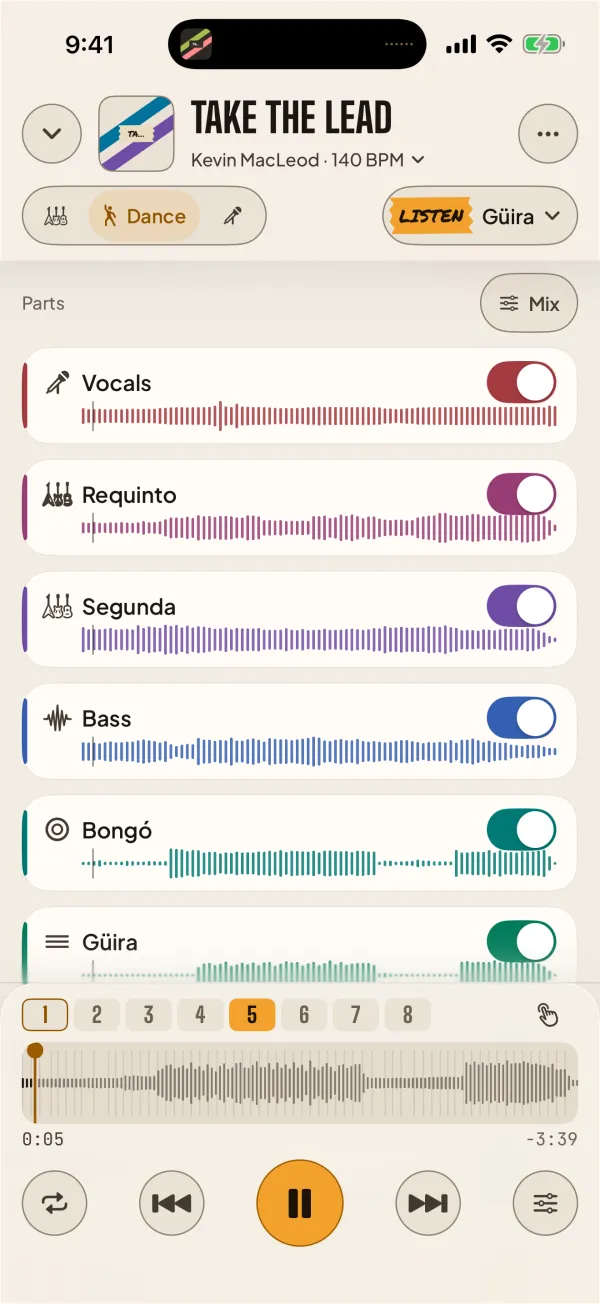
Bachata and salsa: hear the güira, count the 8

Bring one instrument forward while the rest plays softly. In bachata the drums split into bongó, güira and bombo. Tap on the 1 and Backline counts to 8 with the music.

  • Listen for the güira, the bass or the requinto on its own
  • Loops are whole eights, and the count-in says 5, 6, 7, 8 like a teacher
  • Nothing counts until you tap, so a wrong guess never throws you off
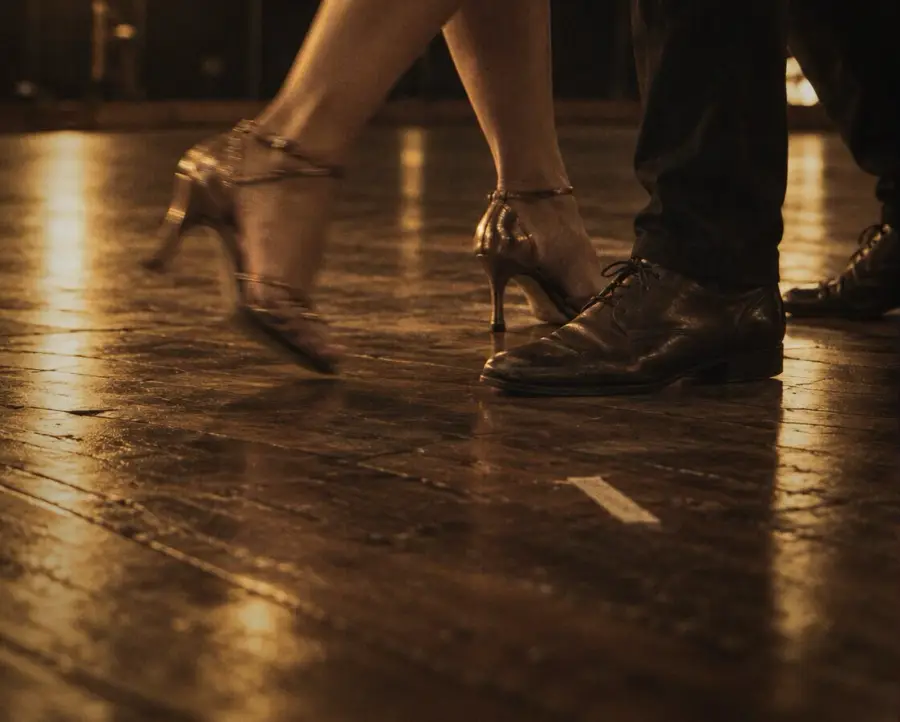
Two dancers' feet on a wooden floor, in warm stage light
Dance mode in bachata: Listen for the güira, with the requinto, segunda, bongó and güira as parts, and the counts 1 to 8
Beats

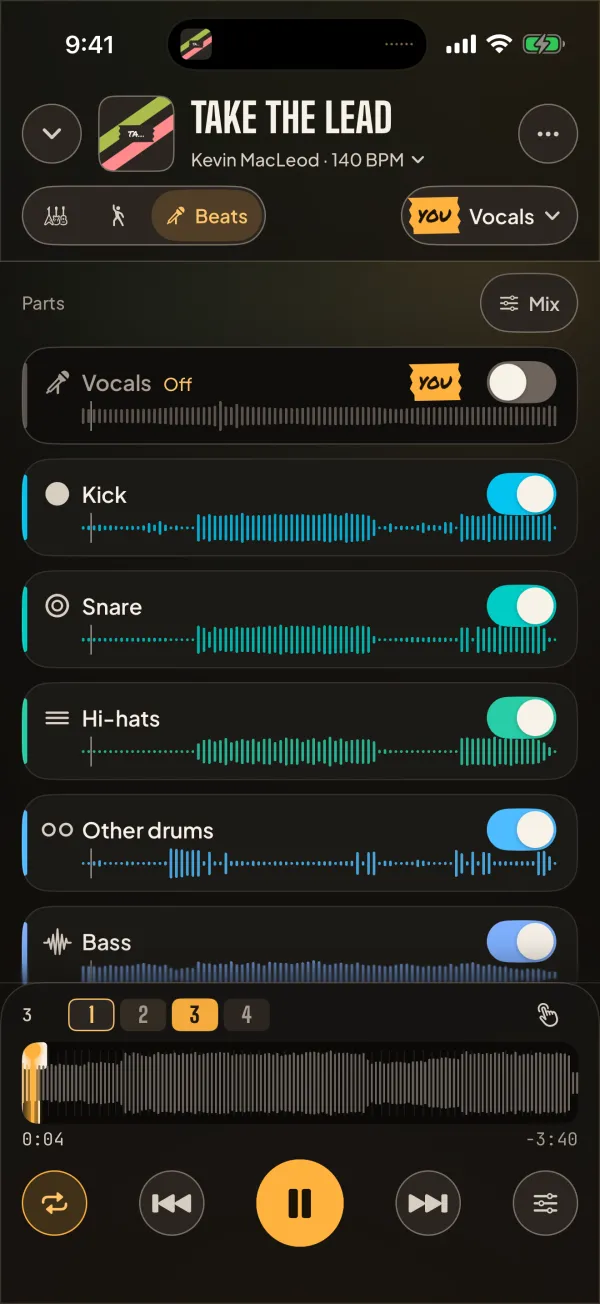
For singers and rappers: lose the vocals, keep the beat

The singer starts off. The drums split into kick, snare and hi-hats, and loops snap to the bar, so you can write and rehearse over the real track.

  • Loop 1, 2, 4 or 8 bars, starting right on the beat
  • A bar and beat counter once you tap on the 1
  • Save the result as a backing track
Beats mode: the vocals off and marked YOU, and the drums split into kick, snare, hi-hats and other drums

Everything a practice session needs

  • Mute or solo any partVocals, drums, bass, guitars, keys and the rest.
  • Lead and rhythm guitar apartKeep the rhythm, take the solo.
  • The drum kit, splitKick, snare, hi-hats and other drums, with an optional one-time download.
  • Slower or faster, same keyFrom 50% to 150%, and pitch up or down by frets.
  • Loops that snap to the beatThe song's sections are found for you, and loops snap to beats and bars.
  • Lock screen and pedalsPlay, pause and skip a bar from the Lock Screen, AirPods, a keyboard or a page-turner pedal.

On your phone. No account.

Backline does the splitting on your phone's own chip. Nothing is uploaded, nobody signs in, and nothing is tracked.

  1. Add a song

    From Files, your Music library, a video, the microphone, another app, or a link to a song or video.

  2. Backline splits it

    About a minute for a three-minute song on a recent iPhone. After that it opens instantly.

  3. Practice

    Turn your part off, loop the hard bit, slow it down, and play along until it's yours.

Questions

Which songs and files work?

MP3, WAV, AIFF, M4A and FLAC files, videos (MP4 or MOV, Backline uses the sound), songs downloaded to your Music library, recordings from the microphone or another app, and links to a song or a video. Only use music you're allowed to use.

How long does a split take?

About a minute for a three-minute song on an iPhone 15 Pro, a little longer on older phones. A song you've split before opens instantly. A sharper pass then runs in the background and swaps in cleaner parts when it's done.

Which iPhones and iPads does it run on?

Any iPhone or iPad on iOS 18 or later: iPhone XS and XR and newer. The longest song depends on the device's memory: 20 minutes with 8 GB (iPhone 15 Pro and later), 12 with 6 GB, 8 with 4 GB and 5 with 3 GB.

Is it really free?

Yes. No ads, no in-app purchases, no subscription and no account. Backline is a personal project, and its code is open source under the MIT licence.

Why does it offer a 550 MB download?

Two larger models make the parts cleaner and split the drum kit into kick, snare, hi-hats and other drums. Backline asks before downloading them, once. Everything works without them.

Why does it ask for the microphone?

Only when you choose Record, to record a song playing in the room. Recording from another app uses the iOS screen broadcast, and Backline keeps only the sound. Recordings stay on your phone.

Does Backline upload my songs?

No. Songs are split on your phone's own chip. Backline never uploads anything. It only downloads the link you give it and, if you agree, the extra models. The privacy policy has the details.

Where is the code?

On GitHub, under the MIT licence. The models, fonts and other parts it uses keep their own licences (see Credits).

Support

Something not working, or an idea for the way you practice? Tell us.

Report a problem or suggest an idea

Open an issue on GitHub. Tell us your device, the Backline version (Settings ▸ About) and what happened.

Open GitHub Issues

Email

info@oatlatte.studio

Starting over? Settings ▸ Reset Backline deletes every song and download and starts Backline like new.

Credits and licences

Backline's own code is MIT. It stands on the work of these people, credited in the app under Settings ▸ About ▸ Credits.

Thanks

My son Jacob, who started it all. The first version of Backline was built so he could take the lead guitar out of heavy metal songs and play the solos himself.

Count8, for insights on beat matching and on processing audio with AI models.

Bachata Corazon, for the original ideas on how dancers practice with an app like this.

Stormey Coleman, for ideas on what singers need from an app like this.

Splitting. HTDemucs by Meta (code MIT; weights for research use, credited). Lead and rhythm guitar model by drypaint. BS-RoFormer SW by jarredou. MDX23C DrumSep by jarredou and aufr33 (CC BY-NC-SA 4.0).

Beats. Beat This! by the Institute of Computational Perception, JKU Linz (MIT).

Sound. Signalsmith Stretch and Linear (MIT). LAME for MP3 export (LGPL).

Links. yt-dlp-ejs (Unlicense) and bgutils-js (MIT).

Ideas adapted from go-play-in-the-band, JammLab and MSAF (MIT).

Type. Big Shoulders Display, Plus Jakarta Sans and JetBrains Mono (SIL Open Font License), Permanent Marker (Apache 2.0).

Music in the screenshots. “Big Rock”, “Take the Lead”, “Volatile Reaction” and “Metalmania” by Kevin MacLeod (incompetech.com), Creative Commons BY.

Photographs and icon made for Backline.